You sent coins to Binance without the memo and they never showed up
Binance won't credit the deposit on its own, but for coins it lists there is a way to get it back. When a deposit to Binance arrives without the tag, memo or payment ID the coin needs, it isn't credited to your account. To get it back you file a Tag/Memo Recovery application from your Binance account, pay a fee equal to that coin's transaction fee, and the coins are sent back to the address they came from rather than added to your balance.
That route only works when the coin is one Binance currently lists, the amount left after the fee clears the coin's minimum withdrawal, and you have the transaction's TxID. If any of those fails, there is a different route or none at all.
A memo that happens to belong to another user can send your deposit into that user's account, and the recovery form doesn't cover that case. Compare the memo you entered with the one on your own Binance deposit page to see which situation you're in.
Why a Binance deposit without a memo never reaches your balance
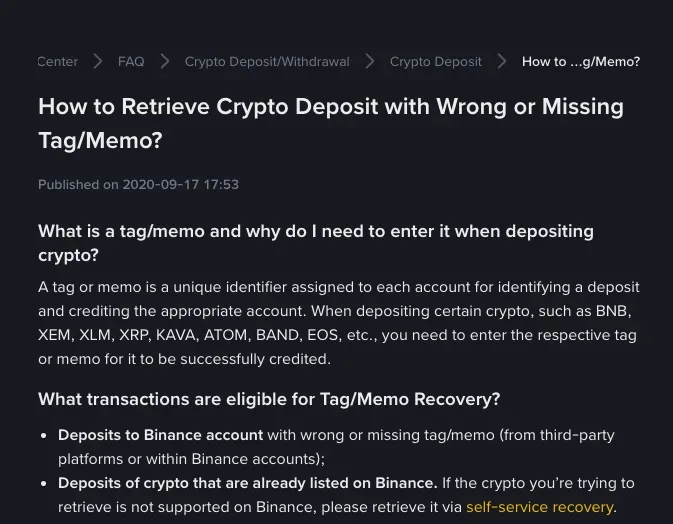
On some networks every Binance user deposits to the same address. The tag or memo is the unique identifier that tells Binance which account a given deposit belongs to, so without it the coins arrive at Binance but can't be matched to you. The recovery guide, published in September 2020, names BNB, XEM, XLM, XRP, KAVA, ATOM, BAND and EOS among the coins that need one, and the incorrect-deposits FAQ, last updated in December 2025, gives TON, XLM and XRP as examples where a missing or wrong tag, memo or payment ID means the deposit won't be credited.
That shared-address setup is also the test for eligibility. A deposit sent with no memo at all can only be recovered if the network uses a single address format that needs a memo to tell users' deposits apart.
Which missing-memo deposits Binance's Tag/Memo Recovery accepts
| Your situation | Where it goes |
|---|---|
| Deposit to your Binance account with a wrong or missing tag or memo, sent from another platform or from another Binance account, coin listed on Binance | Tag/Memo Recovery application |
| The coin you sent isn't supported on Binance | Self-service recovery instead |
| Withdrawal from Binance with a wrong memo, to another Binance account | Binance Customer Support |
| Withdrawal from Binance with a wrong memo, to another platform | The receiving platform; Binance can't assist |
| The tag or memo you entered belongs to another user | The deposit may have gone to that user; Binance can't assist |
Listing status can be less clear than it looks. A network can be supported while some of its tokens aren't, the reverse can be true, and a token that isn't listed can still be available for transactions. Binance's Deposit & Withdrawal Status search tool shows what's supported, so check the exact coin and network there before you pick a form.
How to fill in the Tag/Memo Recovery form
- Log in to your Binance account and open the Tag/Memo Recovery application page (the incorrect-deposits FAQ links it as the Unknown Memo/Tag Recovery page).
- Under Coin/Token, find the asset you sent. If it isn't in the list, the coin isn't listed and the self-service recovery form is the one to use.
- Under Deposit amount, enter the exact amount deposited. The form takes up to 8 decimal places; drop any digits after that and remove separators such as commas.
- Under TxID/TxHash, paste the transaction ID from the platform or wallet you sent from. Copy the right one, and put nothing else in this box: no deposit or withdrawal address, no UID, no email address.
- Check the details and click [Submit]. Progress shows under [Application Records].
The TxID is the one piece you have to fetch from the platform or wallet that sent the coins, so find that transaction on the sending side before you open the form. For the next transfer, How to Send Crypto Between Wallets Safely covers the checks to make before you send.
What the recovery costs, and where the coins go afterwards
Binance charges for the retrieval, and the fee is the transaction fee of the coin you're recovering. After that fee comes off, the rest has to be at least the coin's minimum withdrawal amount, or Binance can't retrieve it. Both figures are listed per coin on Binance's deposit and withdrawal fee page.
With made-up figures: you sent 30 units of a coin whose fee is 0.25 and whose minimum withdrawal is 20. The return would be 30 − 0.25 = 29.75, which is above 20, so the deposit qualifies. Had you sent 20.1 units, 20.1 − 0.25 = 19.85 would fall short of 20 and the application would be refused.
Once the application is confirmed, the deposit is returned to the original sender's address for the safety of your funds. It is not credited to your Binance account, and Binance doesn't support changing the refund address. If there are security problems or other issues with the address the coins came from, sort them out before you apply. When the deposit came from another exchange, the coins go back to the address that exchange sent them from, which may not be your own deposit address there, so contact that platform as well.
Why the recovery form won't let you submit
The form checks your entries against the actual transaction. These are the reasons Binance gives when an application can't be submitted:
- The details you entered don't match the transaction.
- The transaction has nothing to do with a wrong or missing tag or memo.
- You entered the deposit address where the sender address was asked for. It has to be the address the coins were sent from.
- The amount is off: enter up to 8 decimal places and remove all separators.
- You already applied for this transaction. Look in your application records instead of filing again.
- What's left after the fee is smaller than the minimum withdrawal amount.
- The TxID/TxHash is in a format the system can't read for that coin. The guide offers a converter for these; enter the converted format and submit again.
What happens to the coins after you apply, and when Binance can't help
Can I get back a deposit sent with another user's memo?
Binance won't help with that one. When the memo you entered coincidentally belongs to another user, the deposit might be transferred to that user's account, and the recovery guide states that Binance is unable to assist. Copy the memo from your own deposit page for every future deposit rather than typing it from memory.
What if I left out the memo when withdrawing from Binance to another exchange?
Contact the receiving platform for assistance; for a wrong address or memo on a withdrawal to another platform, Binance is unable to help. If the withdrawal went to another Binance account instead, get in touch with Binance Customer Support.